Review Hard Rock Cafe Waikiki
Help every Bears fan on Oahu find us.
Had a great game day at the Den? A Google review takes about two minutes, and it is how the next Bears fan searching for a place to watch the game finds this one. It also shows Hard Rock that the Bears crowd is worth the big screens and the sound.
Review on GoogleOpens Google in a new tab. Come back here if you get lost.
Where to tap
On some phones the button opens the review box straight away. If it does, skip to step 3.
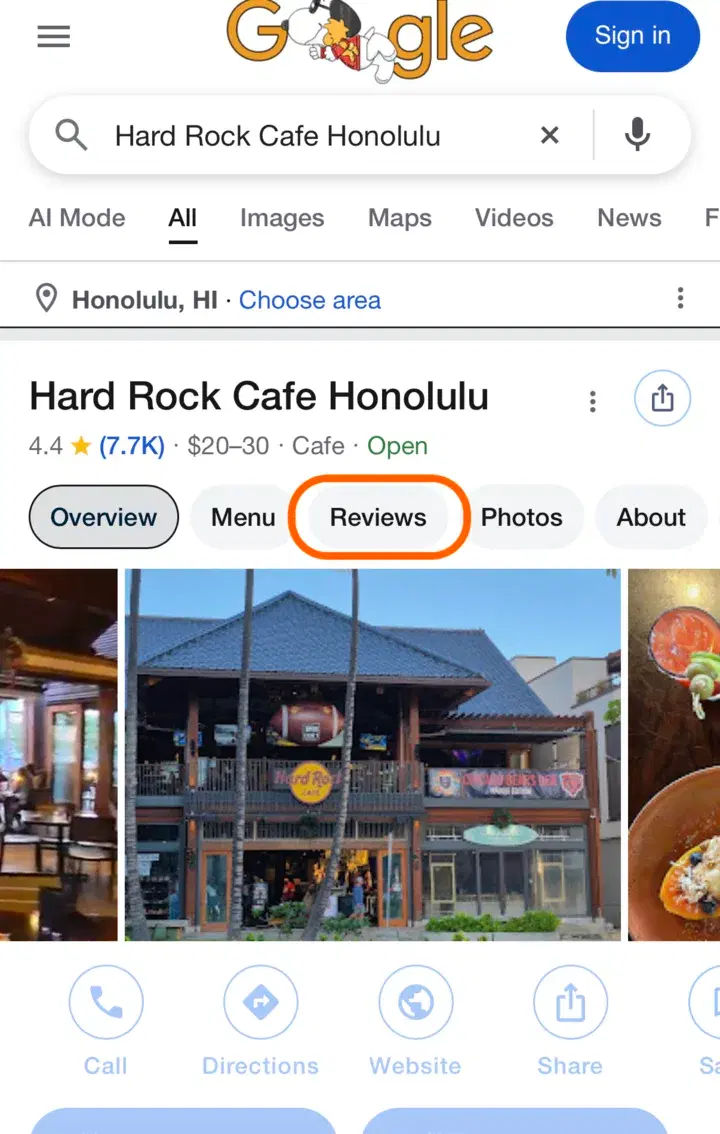
Tap Reviews
If Google opens Hard Rock's listing instead of the review box, tap the Reviews tab just under the name.
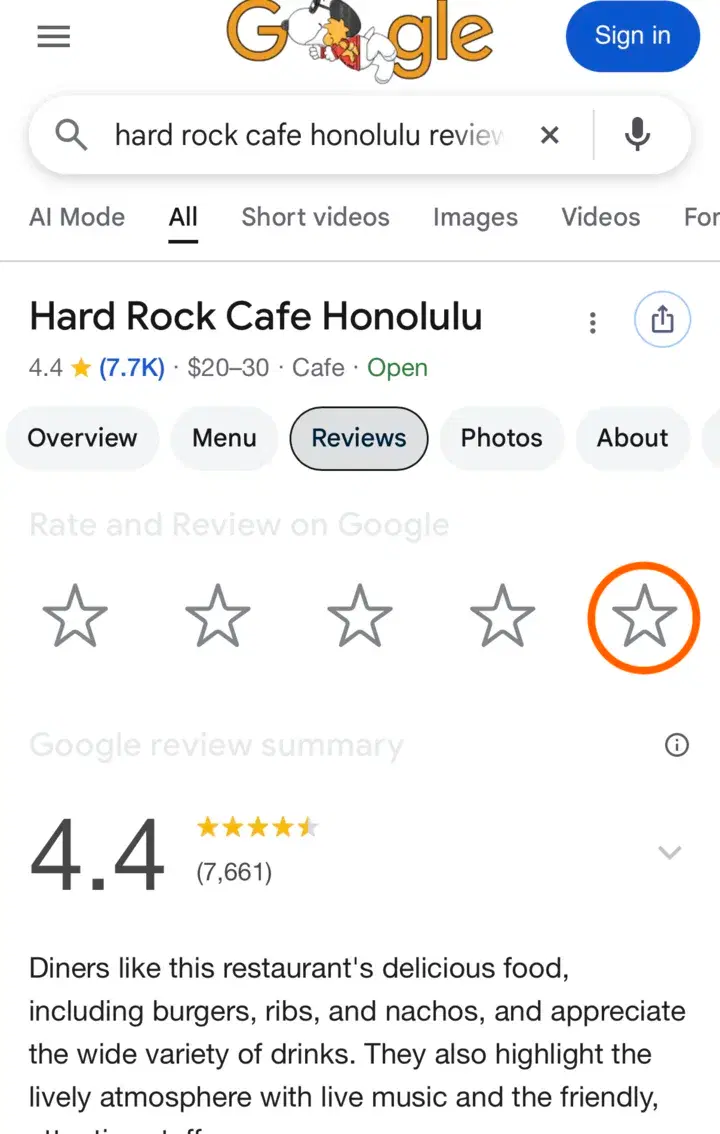
Tap the fifth star
Under “Rate and Review on Google”, tap the last star on the right. Google may ask you to sign in first.
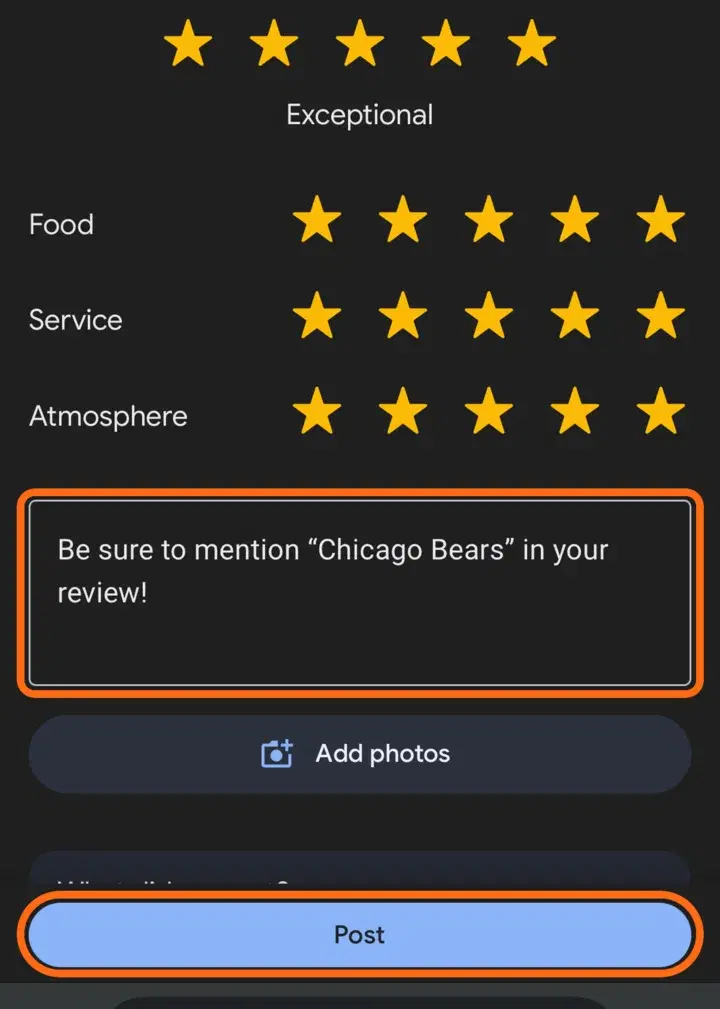
Say a few words, then Post
Rate the food, service and atmosphere, write a line or two, and tap Post. Mention “Chicago Bears” so other fans searching for a Bears bar find us.
You're done when Google celebrates
After you tap Post, Google thanks you with a burst of confetti, and shows the points you earned if you are a Local Guide. That screen is your proof it went through.
Thanks for your review!
+ points
Our drawing of it. Google's own screen looks a little different.
Booked through OpenTable?
OpenTable only takes reviews from guests who reserved through it. Open your dining dashboard, find the visit under Past reservations, and choose Leave a review.
Review on OpenTableThank you. Every review makes it easier to keep the Bears on the big screens.